
Description
Price: £252.99
(as of May 06, 2023 01:49:31 UTC – Details)


Ultimate driverless USB-C dock performance
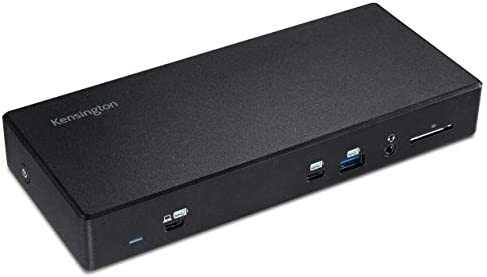
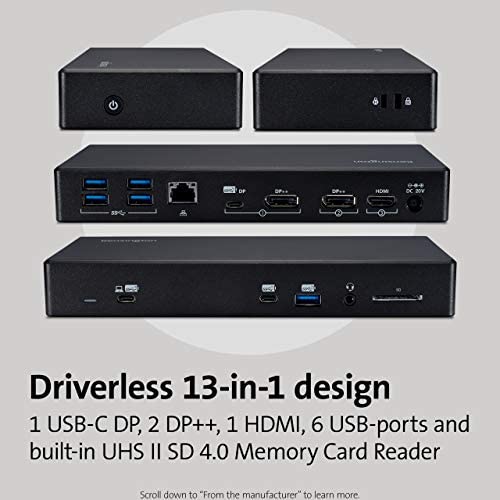
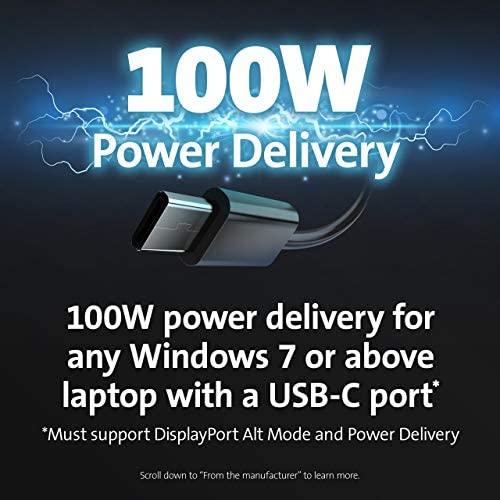
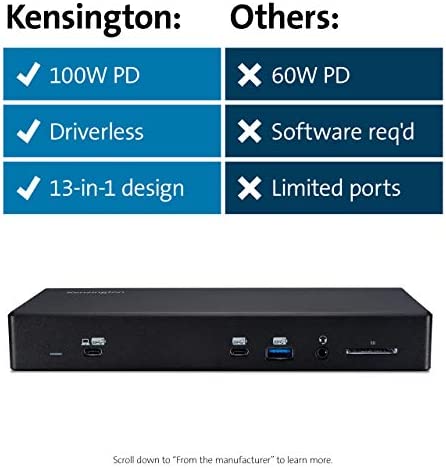
The SD4850P USB-C Dual Video Driverless Docking Station with 100W Power Delivery is the top-of-the-line USB-C driverless dock for any Windows laptop with a USB-C port supporting DisplayPort Alt Mode and Power Delivery. One connection expands your Windows laptop (7 or later) into a fully powered yet streamlined desktop setup supporting up to Dual 4K via a 13-in-1 design complete with 6 USB-ports.
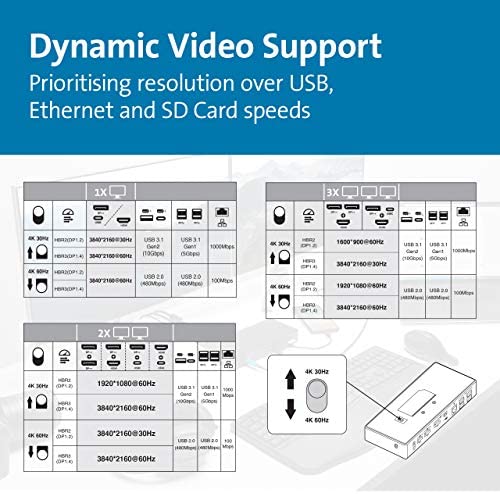
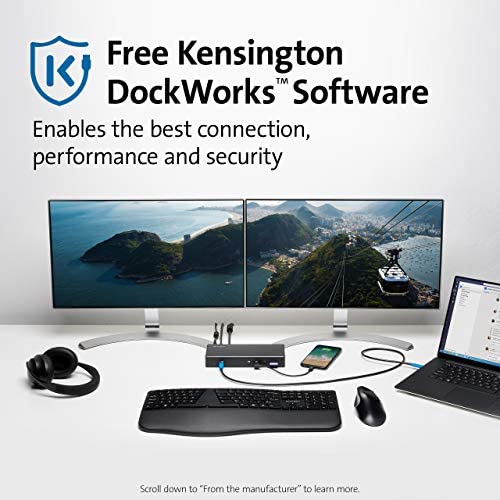
Numerous Video Ports Dynamic Video Support Universal Windows Compatibility 13-in-1 design with 6 USB-ports UHS II SD 4.0 Memory Card Reader Free Kensington DockWorks Software
USB-C Driverless Dock – FAQ
Q: Is this dock compatible with USB-C ports?
A: Yes, the dock works with computing devices (ex: laptops, 2-in-1’s, etc.) that have at least one available USB-C port
Q: Does this docking station support device charging (i.e. will it charge my laptop)?
A: For USB-C that support Power Delivery, yes. Please check the specs of your laptop to identify if your USB-C port supports Power Delivery.
Q: What operating systems does this dock support?
A: Windows 7 or above
Q: Does this dock require software like DisplayLink?
A: No, this dock is plug and play, no software is required.
Q: Will this dock be compatible with computers that have a Thunderbolt 3 port?
A: Yes, the dock is compatible with a laptop that has a Thunderbolt 3 port, however, it will not deliver the maximum bandwidth of Thunderbolt 3 (40Gbps), but rather deliver what the dock supports (5Gbps or 10Gbps, depending on docking station).
Q: What if my device has a USB-C port but it doesn’t support DisplayPort Alt Mode?
A: Unfortunately, if your USB-C port doesn’t support Alt Mode, then you won’t receive video output. If this is the case, one of our USB-A or Hybrid USB-A/USB-C docks would work better for you.
Q: What if my device has a USB-C port but it doesn’t support Power Delivery (PD)?
A: The dock will work correctly with video and data (including audio and Ethernet), but the dock would not be able to supply charging to the target laptop.
Q: Does this dock support USB Power Delivery (PD)?
A: Yes, supports PD 3.0 (100W of laptop charging)
Q: How many monitors does the dock support and what is the maximum resolution supported?
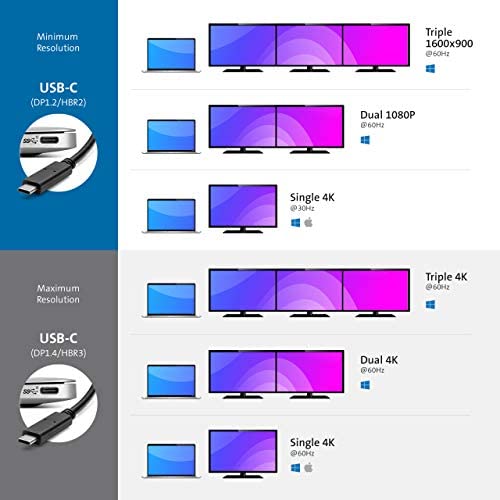
A: Minimum Resolution (DP1.2/HBR2): Single 4K @ 30Hz Dual 1080p @ 60Hz Triple 1600×900 @ 60Hz // Maximum Resolution (DP1.4/ HBR3): Single 4K @ 60Hz Dual 4K @ 60Hz Triple 4K @ 60Hz
Q: Does the dock support fast-charging for my phone?
A: Yes, the front USB Type-A port supports 5V/2.4A and the front USB-C port supports 5V/3A
Q: What is the maximum speed on the USB ports?
A: USB 3.2 Gen2 (10Gbps)
Q: What does the switch under the dock do?
A: This gives the user the option to customize their dock settings for their potential needs; prioritizing Resolution Outputs over USB/ Ethernet/SD Card Reader speeds.
Supports up to Monitors – Minimum resolution of Single 4K @30Hz, Dual 1080p @60Hz and Triple 1600×900 @60Hz; Maximum resolution of Single 4K @60Hz, Dual 4K @60Hz, and Triple 4K at 60Hz
6 USB Ports – Front Ports: One USB-C, one USB 3.0, combo audio port and UHS II SD 4.0 Memory Card Reader. Rear Ports: Four USB 3.0, Gigabit Ethernet and four video ports (two DP++, one HDMI and one USB-C)
UHS II SD 4.0 Memory Card Reader – Eliminates the need for additional adapters and accessories to transfer large hi-res photos and video footage at ultra-fast speeds
Kensington DockWorks – DockWorks WiFi Auto-Switch ensures a fast internet connection and MAC Address ID Pass-Through and Reset and Device Connection Monitoring gives IT managers maximum network visibility